
Q4, 2025 — faster than ever!
Reading time: approx. 8 minutes
Pun of the week:
Why did everyone smile when they entered the GEDA hoist?
Find the answer in the bottom of this email
👋 From quotes to construction — faster, smarter, stronger.
Some companies take the autumn slow. We don’t. We’re building tools that make scaffolding faster to quote, clearer to plan, and stronger to design.
Here’s what’s new 👇
In this week’s newsletter, you’ll find:
- 👋 From quotes to construction — faster, smarter, stronger.
- Prefer to watch the news?
- 💰 QUOTATION
- Auto Scaffolding 2 — instant area / volume / weight calcs
- Hide details in quotes
- Recurring customers auto-fill
- Bridging Tool
- 💭 PROJECT PLANNING — Clarity on site, precision in design
- Color-coded bays for faster assembly
- Add beams, ledgers, and couplers piece by piece with live preview.
- Hoist Tool
- Quotation & Drawing tools — now in Project view
- 📁 Custom component folders
- 🎓 ENGINEERING
- 🇸🇪 ScaffPoint Stockholm
- 📅 Want a closer look?
- 💅🏻 Smaller fixes that make life easier
- 🌍 Events
- 🤝 Need Help? We’re Here.
- 🎨 Artwork of the Week
- ❤️ Thank you.
Prefer to watch the news?
💰 QUOTATION
Auto Scaffolding 2 — instant area / volume / weight calcs
Now with automatically filled corners and gaps using tube & fitting for a perfect fit.


Hide details in quotes
Need to keep some info private? Click the 👁️ icon to hide details like m² but keep your price visible.

Recurring customers auto-fill
Type it once — Scaffcalc remembers forever.

Use this contact when creating quotes for a streamlined workflow.
Bridging Tool
Bridge over garages, doorways, or driveways in seconds. Beam setups follow supplier manuals for Layher, HAKI, MJ-Gerüst, Scafom-rux & co.
⚡ Result: Go from “Can you send me a quote?” to “When can you start?” in minutes.
💭 PROJECT PLANNING — Clarity on site, precision in design
Color-coded bays for faster assembly
Give your crew instant visual clarity. Change colors globally or per project — so everyone builds the same way.


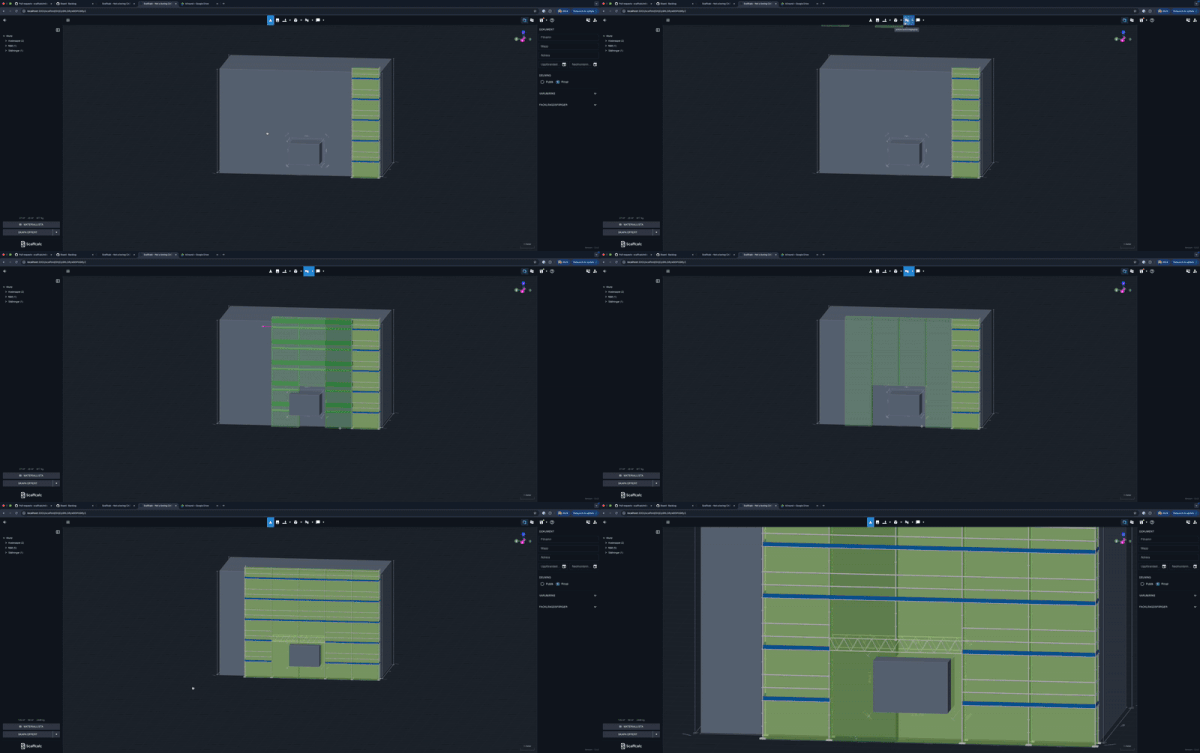
Add beams, ledgers, and couplers piece by piece with live preview.
See new components in green before locking them in. Works for ledgers, beams, couplers — everything.

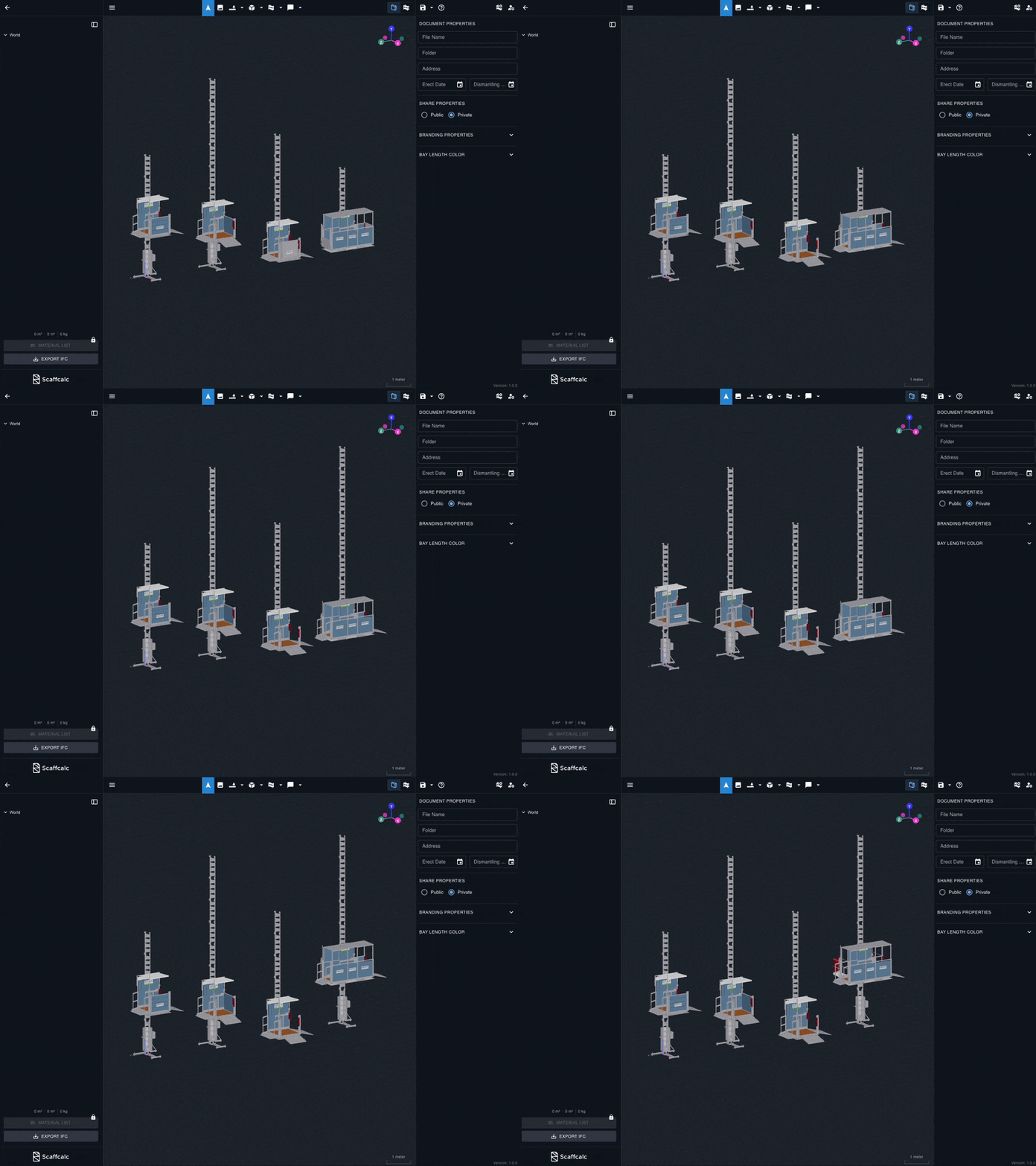
Hoist Tool
Use the Hoist tool to place your vertical transport exactly where you want it.

Quotation & Drawing tools — now in Project view
This feature has been moved and you can find it in your projects view.

📁 Custom component folders
Organize by sections or stages (‘Stage 1’, ‘Stage 2’). Toggle visibility with the eye icon — entire sections disappear or reappear in one click.
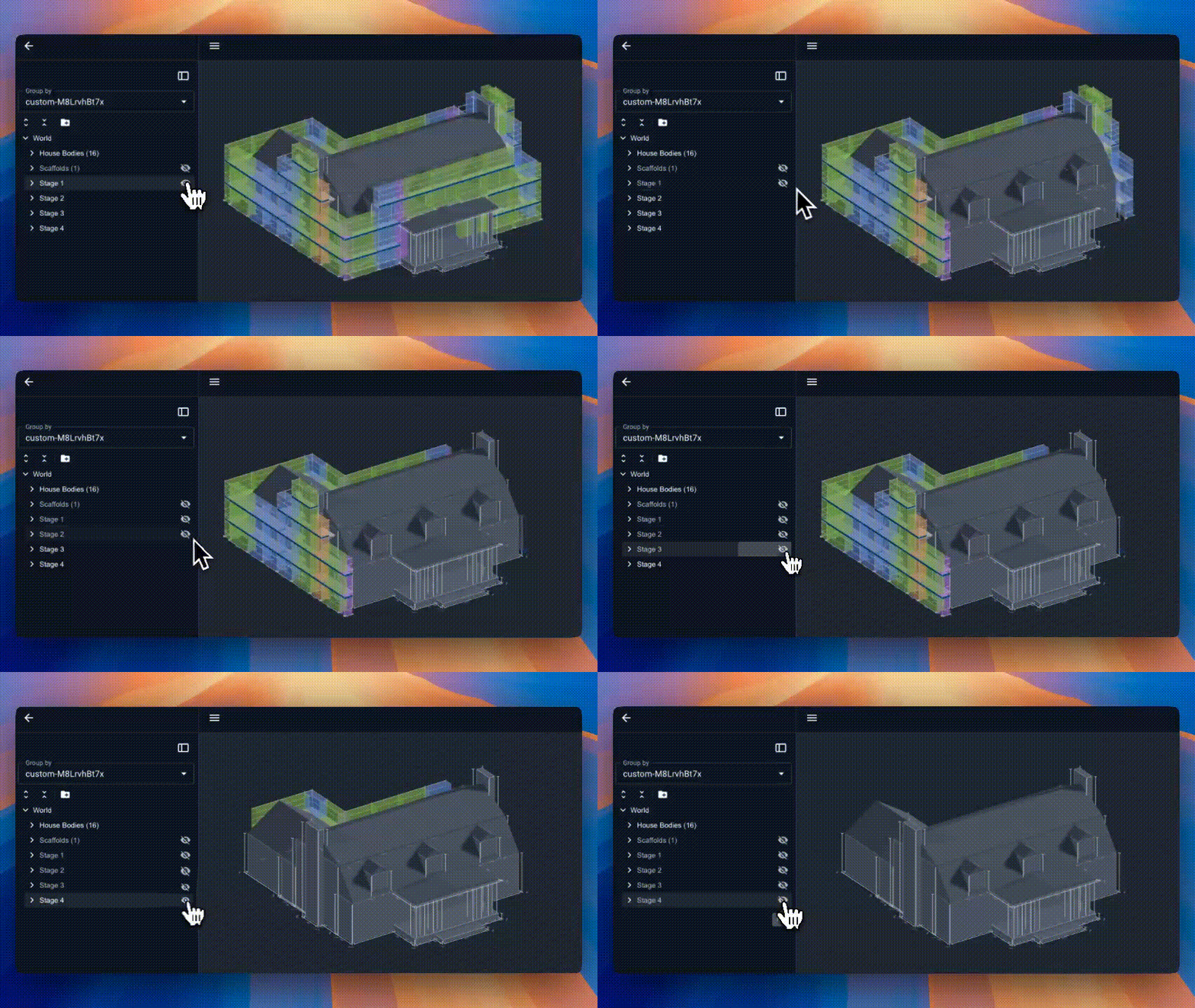
🧩 Result: Less confusion, fewer mistakes, and crews who actually know what goes where.
🎓 ENGINEERING
FEM (structural) calculations are being tested on large sites right now.
It’s taking longer than planned — because we’re making it bulletproof.
We’re opening 10 spots for scaffold engineers to join the beta.
Want in? Fill out the form below and tell us why you should be picked.


💬 Result: Engineering-grade safety and precision, right inside Scaffcalc.
🇸🇪 ScaffPoint Stockholm
We met Swedish legends, laughed too loud, and had a beer or nine.
Big thanks to everyone who stopped by. You made it unforgettable.
📅 Want a closer look?
Curious about the Quotation tool or Drawing tool?
→ Shoot us an email!
Customer? support@scaffcalc.com
Not a customer? david@scaffcalc.com
💅🏻 Smaller fixes that make life easier
✅ Imperial units added across the interface.
✅ SSO login with Microsoft or Google.
✅ Account quota visible in Settings — contact your CS Manager to expand.
✅ Stair access fixed — first stair is now placed outside the tower.
🌍 Events
🗓️ World of Concrete (Las Vegas, Jan 20-22) — we’re coming
🤝 Need Help? We’re Here.
The fastest way to get support is through support@scaffcalc.com — it reaches our whole team.
🎨 Artwork of the Week
The future of scaffolding? Perhaps a robot or two. Or why not a whole scaffolding city?


❤️ Thank you.
We’re building Scaffcalc with and for you, our brilliant scaffolders and project leads.
Let us know what you think, and keep pushing the limits of what’s possible.
— Viktor & the Scaffcalc team
Pun of the week:
Why did everyone smile when they entered the GEDA hoist? Because it was so uplifting